AquilaX AppSec IntelliJ Plugin — Release Notes (v1.0.2)
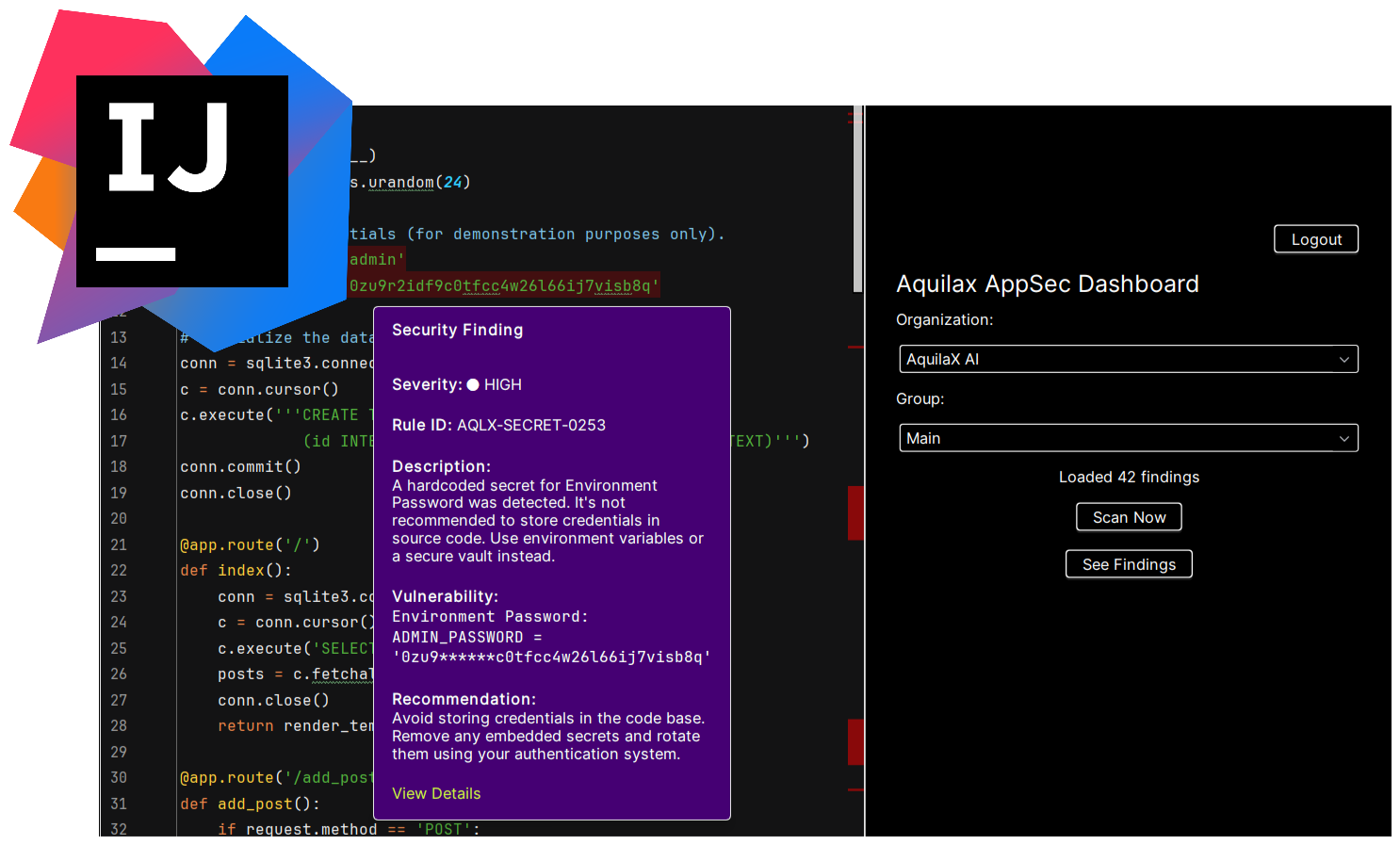
What’s included
Real-time security analysis: As you code in IntelliJ IDEA, the plugin runs security analysis and surfaces potential vulnerabilities immediately.
In-editor highlighting: Vulnerable code segments (true positives and unverified findings) are visually marked directly in your source files.
Integrated tool window / dashboard: A dedicated “AquilaX AppSec” panel lets you manage organizations, groups, and trigger scans, without leaving the IDE.
Automated scanning from within IDE: You can start scans manually from the IDE, monitor progress, and cancel if needed.
Findings summary & detailed reports: Once scans finish, you can fetch findings inside the IDE; the plugin displays severity, rule IDs, descriptions, remediation suggestions.
Seamless link to web dashboard: For more in-depth analysis and history, each finding includes a direct link to the full report in the AquilaX web dashboard.
Project-wide visibility: Files containing security issues get error markers in the project view, allowing quick identification of which files need attention.
How to install
Available via JetBrains Marketplace (search “AquilaX AppSec”) — install and restart IDE.
Or: manual install using the plugin ZIP via “Install Plugin from Disk” if you downloaded it from releases.
Typical workflow from inside IDE
Open the “AquilaX AppSec” tool window after installation.
Authenticate — either via browser-based login or via Personal Access Token (PAT).
Select organization and project group context.
Trigger a scan (“Scan Now”) — status updates inside IDE, and you may cancel if needed.
When done, fetch findings. Plugin shows summary; number of findings appears in status bar.
In your source files: vulnerable code is highlighted (red = confirmed true positives; orange = unverified), with hover-tooltips providing severity, rule ID, description, code snippet, remediation advice, and a link to the web report.
Project view marks files containing issues to help you quickly navigate.